
Maroc Contacts3.9.1 - Google Play
You'll be able to see results in few seconds.
Publisher Description
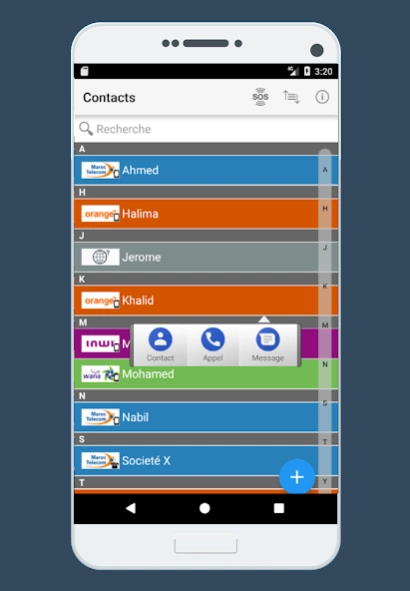
Contact Morocco, easily identify the operator of your contact
"Maroc Contacts" is a free application with a very simple use, it displays your list of contacts colored according to the operator.
The objective of Maroc Contacts is to identify the operator of the number to call which will allow you to better optimize your package.
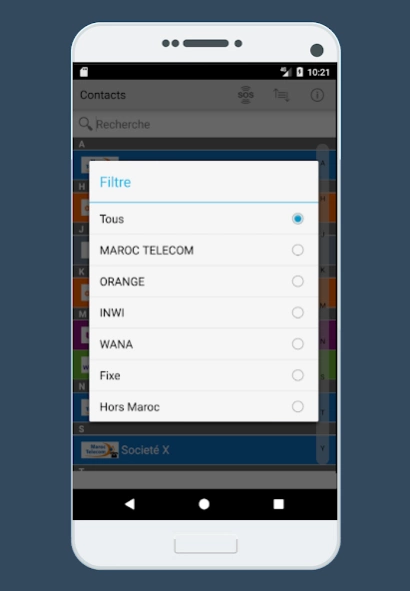
The Maroc Contacts application makes it possible to distinguish the numbers of 4 Moroccan operators (Maroc Telecom, Orange, Inwi and Wana), to identify mobile and landline numbers as well as Unidentified numbers.
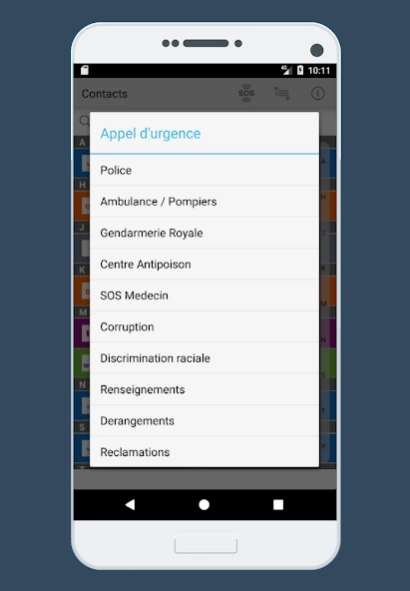
If needed, the list of emergency numbers are available on the "SOS" menu in the app.
Maroc Contacts also contains a search function to easily find your contact.
Maroc Contacts also includes the ability to call and send a message directly from the application.
Important:
- If your foreign telephone numbers do not start with the country prefix, they will be considered as Moroccan numbers.
- The Maroc Contacts application displays the operator without taking number portability into consideration.
- Advertising has been removed, we no longer have any profit from this app.
- After removing the ad, the application no longer needs and no longer uses the internet to close the door to rumors. All contacts are only used locally by the application and have been since day one.
The idea of the application:
Redouan BENECHEHAB
Production :
Mohamed EL JOUBARI
About Maroc Contacts
The company that develops Maroc Contacts is Genidee. The latest version released by its developer is 3.9.1.
To install Maroc Contacts on your Android device, just click the green Continue To App button above to start the installation process. The app is listed on our website since 2018-01-07 and was downloaded 0 times. We have already checked if the download link is safe, however for your own protection we recommend that you scan the downloaded app with your antivirus. Your antivirus may detect the Maroc Contacts as malware as malware if the download link to com.iracreative.maroccontacts is broken.
How to install Maroc Contacts on your Android device:
- Click on the Continue To App button on our website. This will redirect you to Google Play.
- Once the Maroc Contacts is shown in the Google Play listing of your Android device, you can start its download and installation. Tap on the Install button located below the search bar and to the right of the app icon.
- A pop-up window with the permissions required by Maroc Contacts will be shown. Click on Accept to continue the process.
- Maroc Contacts will be downloaded onto your device, displaying a progress. Once the download completes, the installation will start and you'll get a notification after the installation is finished.
Program Details
System requirements
Download information
Pricing
Version History
version 3.9.1
posted on 2018-01-07
+ Suppression de pub
+ Couleurs flat
+ Optimisation & Correction des bugs
+ Button nouveau contact
+ Appel d'urgence
Disclaimer
Official Google Play Link
We do not host Maroc Contacts on our servers. We did not scan it for viruses, adware, spyware or other type of malware. This app is hosted by Google and passed their terms and conditions to be listed there. We recommend caution when installing it.
The Google Play link for Maroc Contacts is provided to you by apps112.com without any warranties, representations or guarantees of any kind, so access it at your own risk.
If you have questions regarding this particular app contact the publisher directly. For questions about the functionalities of apps112.com contact us.
